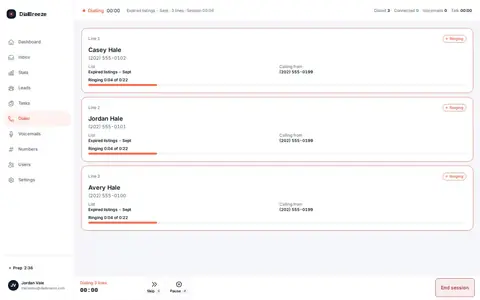
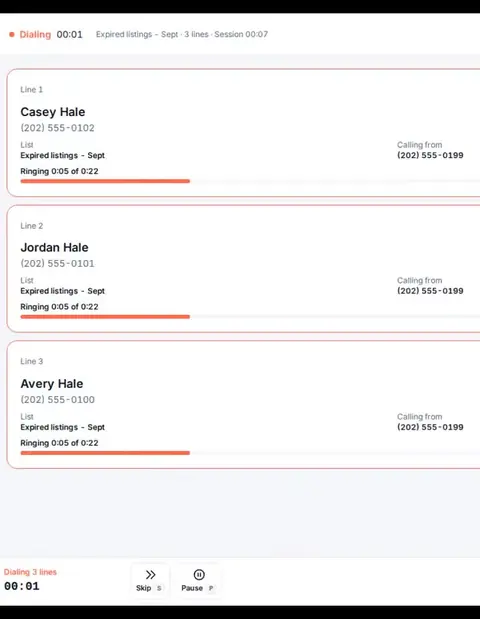
Three lines at once
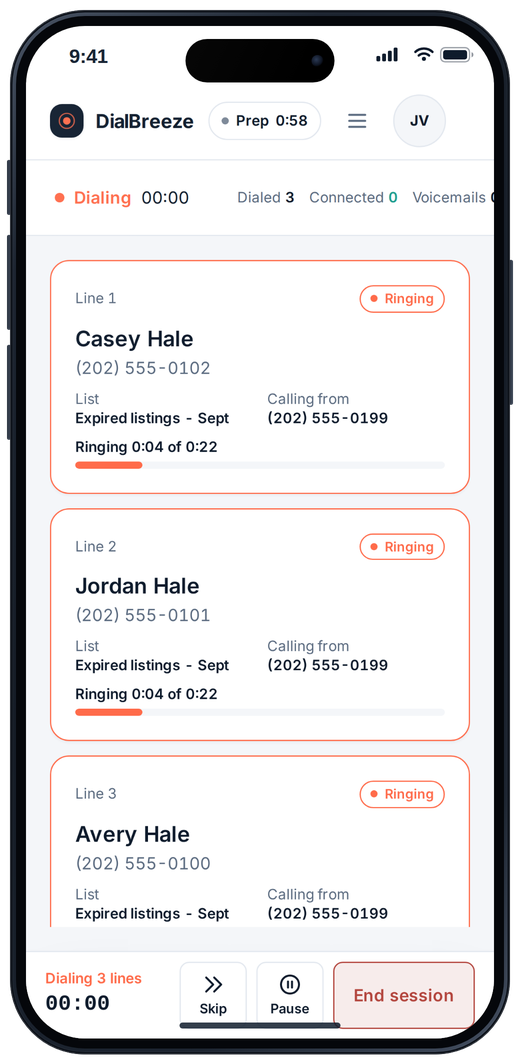
Up to three numbers ring for one operator. You take the first live answer; the other lines end, with your disconnect message if you set one.
Browser power dialer for teams that sell by phone
Upload your contacts and lists, power dial from your browser, and keep every outcome, task and callback in one place. Human-led calls, team reports, and after-call AI transcripts and summaries on Pro and Team. From $25 per seat; bring your own Telnyx account.
Assisted setup by a person on our team. No free trial and no instant signup. Calls run on your own Telnyx account.
From $25 per seat a month. Pro with three lines and AI is $49. Your Telnyx charges are separate.
Evidence you can inspect: real redacted production call·real product recordings·measured dialing cohort·published methodology
When one live answer connects to the operator, the conversation is human-led. If two people answer at nearly the same time, the operator takes one and the other line ends with your configured disconnect message, or silently if none is set.
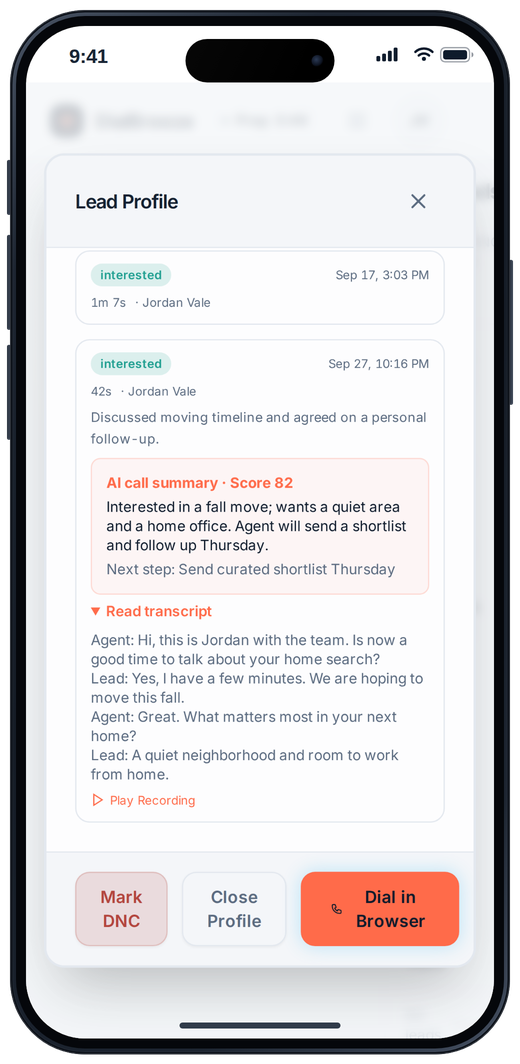
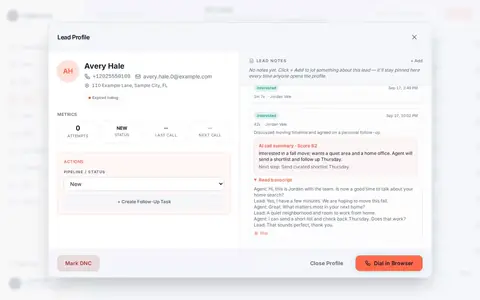
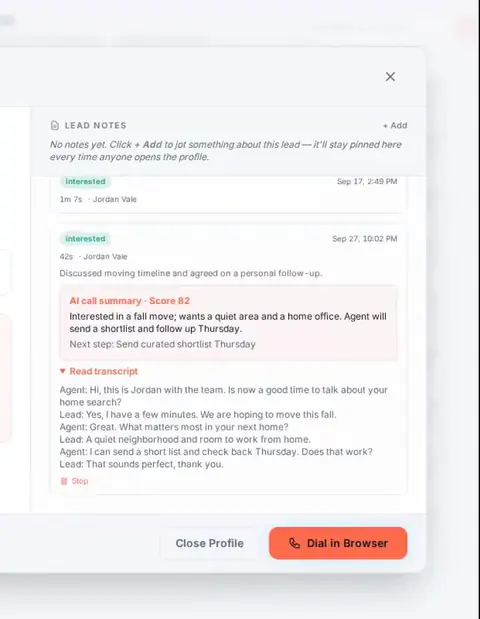
Product interface, sample data. Desktop: three lines ringing for one operator, calls simulated. Phone: the after-call summary.
One real recorded call from production use, redacted, on 2026-09-25: 4 min 50 s, outbound, appointment set. Names redacted. The transcription errors are left in on purpose.
Do you have any specific time line if when you're going to start the buying process or be in a home?
I don't know yet.
May I know if what kind of home are you looking for?
Water access. Mhmm. Single family home? 5454 are you located? Southwest.
No less than three bedrooms. Least two bathrooms. Three car garage.
Are you paying cash or, you need help for preapproval or you're already preapproved?
No. It's gonna be cash.
I don't under any kind of a buyer's agency with anybody right now
Would it be okay if one of our agents can give you, like, a quick phone call, later today at 5PM?
Sure. Go ahead.
Details extracted into this summary (fixed fields, not configurable CRM fields)
Flags: hot no · wrong person no · do-not-call signal no · Spanish-speaking agent needed no
Only in the summary text, not a field: water-access single-family; 3+ bed, 2+ bath, 3-car garage, ~2,000 sq ft; paying cash.
Recorded in the real product with sample data. Load the people you are allowed to call, talk to the ones who pick up, and walk away with the follow-up written.
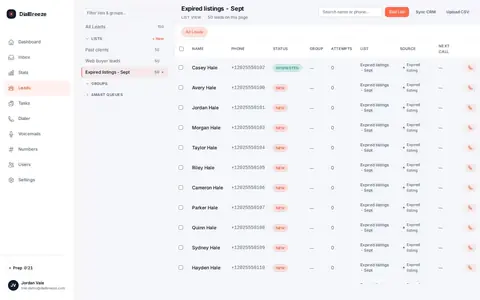
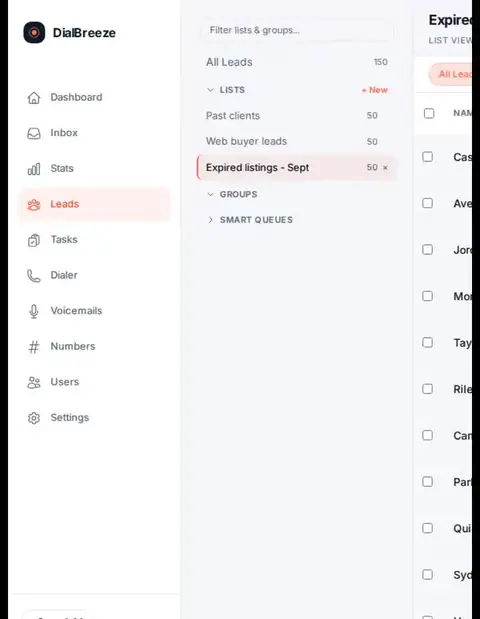
Import a CSV and pick the lists for the session. Internal DNC, per-lead quiet hours and attempt caps are checked before anyone is dialed, and every skip keeps its reason.
Lists and importUp to three numbers ring for one operator. You take the first person who answers; if a second person answers at nearly the same time, that line ends with your configured disconnect message, or silently if none is set. Drop your recorded voicemail with one key and set the outcome on a hotkey.
The power dialerWhen recording is on, the call becomes a transcript and a summary with intent, timeline, objections and next step after the call is processed. Play it back, confirm the next step and turn it into a task.
After-call AIScreen recordings of the real product with seeded sample data. Calls are simulated; no one was dialed.
Sessions are built for a headset at a desktop browser. Between sessions, open app.dialbreeze.com on your phone to check the day, read the summary before a callback, or see what is still ringing.
How after-call summaries work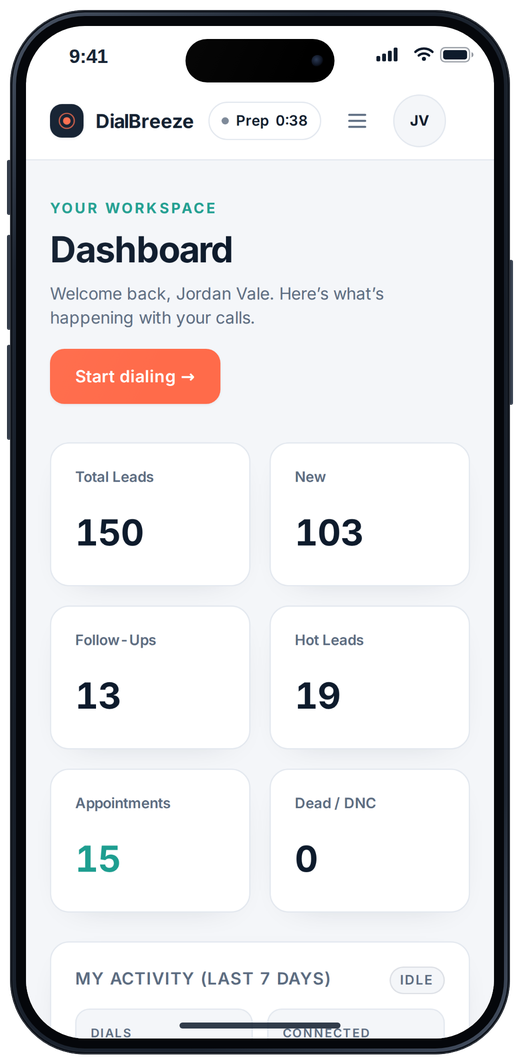
Live calling runs on your own carrier account. We set up your workspace; you bring the carrier account, a number, a headset and an eligible list.
Getting started, step by step Read the carrier requirements90 days of real calling, 3-line power-dial sessions, one human operator per session. Percentiles, not a promise.
Active calling hours are hours with dialing activity. Operator days count days with 50 or more dials. Aggregate and anonymized, snapshot 2026-09-26. Read the methodology · Estimate your own throughput
Our figures describe one stated production cohort, not a multi-customer average or a forecast. Vendor figures are advertised claims on different bases.
| Vendor | Throughput | Lines per rep | Entry price |
|---|---|---|---|
| DialBreezeMeasured in production use | Measured: median ~85 dials per active hour, p90 ~134, peak 196. | Up to 3 on Pro and Team. | Starter $25/month; Pro $49/month; Team $79/month for 2 dialers + $20 per added dialer. Carrier billed separately by Telnyx. |
| MojoSource, checked 2026-09-28 | up to 300 calls/hour claim applies to Triple Line only | Single Line Dialer + Agent Access: 1; Triple Line Dialer + Agent Access: 3 | Single Line Dialer + Agent Access: $99/mo month-to-month; minimum 1 seat(s) | Triple Line Dialer + Agent Access: $149/mo month-to-month; minimum 1 seat(s) |
| PhoneBurnerSource, checked 2026-09-29 | up to 80 calls/hour; up to 4x faster than manual dialing | Standard: 1; Premium: 1 | Standard: $165/mo month-to-month; $140/mo annual equivalent; minimum 1 seat(s) | Premium: $215/mo month-to-month; $183/mo annual equivalent; minimum 1 seat(s) |
| KixieSource; article; customer story, checked 2026-09-29 | No universal calls/hour ceiling verified; Kixie publishes a customer-specific 150 calls/hour result, not a guaranteed product rate. | Pricing and current April 2026 article say up to 4 parallel calls; round-two reviewer reported the article said 10. Confirm the configured limit with Kixie. | Multi-Line PowerDialer: month-to-month unverified; minimum seat count unverified |
Competitor cells paraphrase vendor public pages, linked in the first column (additional source URLs appear in the source records), checked on each record's date. Kixie and Orum line counts have conflicting or changed vendor wording; confirm the configuration. "Not stated" means the page we fetched published no figure; we did not estimate one. Vendor claims are advertised figures, often multipliers against manual dialing. Our figures are measured, methodology here. Prices change; confirm on the vendor's site.
Three lines, voicemail drop, recordings and after-call AI. Starter covers single-line dialing, recording and follow-up for $25 a month.
Up to three numbers ring for one operator. You take the first live answer; the other lines end, with your disconnect message if you set one.
Record your message once. One key leaves it while you move to the next call.
When recording is on, the recording sits on the lead so a teammate can listen before the callback. Recording consent is your policy to set.
A transcript plus a summary that notes intent, timeline, objections and next step. Check important details against the recording.
The disposition and the next step are saved before the next call starts.
Calls run on your own Telnyx account, numbers and caller ID. You see the carrier bill directly.
Product interface, sample data. Twilio and managed calling are planned, not available yet.
The calling workflow is the same across jobs. Start with the workflow closest to yours.



Photos are illustrations, not customers.
Facts as of October 5, 2026.
We make dialing a breeze. DialBreeze is a browser-based power dialer for people who sell by phone: upload contacts and lists, then work them with dispositions, tasks, callbacks, available filters and team reports. A human operator handles every conversation, dialing one line at a time on Starter or up to three lines at once on Pro and Team. After-call AI transcription and summaries of recorded calls are included on Pro and Team, not on Starter. Monthly software pricing is Starter $25 for one dialing seat, Pro $49 for one dialing seat, and Team $79 for two dialing seats plus $20 for each added dialing seat; Enterprise (10 or more dialers) is scoped in writing. Calls run on your own Telnyx account, which Telnyx bills separately, and DialBreeze adds no per-dial or per-minute charge. Setup is assisted by a person on our team; there is no free trial and no instant self-serve signup. DialBreeze is built for 1099 real estate and insurance teams and small sales teams.
Straight answers. Email brayden@themilnerteamfl.com for anything else.

Tell us your team and list shape. A person on our team sets up your workspace, and your calls run on your own Telnyx account.